
ZHISHEN / EXCEL
Booking and payment report in Excel
Turn manually entered bookings into a monthly summary of room charges, payments and outstanding balances.
Synthetic demonstration, not a client project. Workbook and screenshots are in Traditional Chinese.
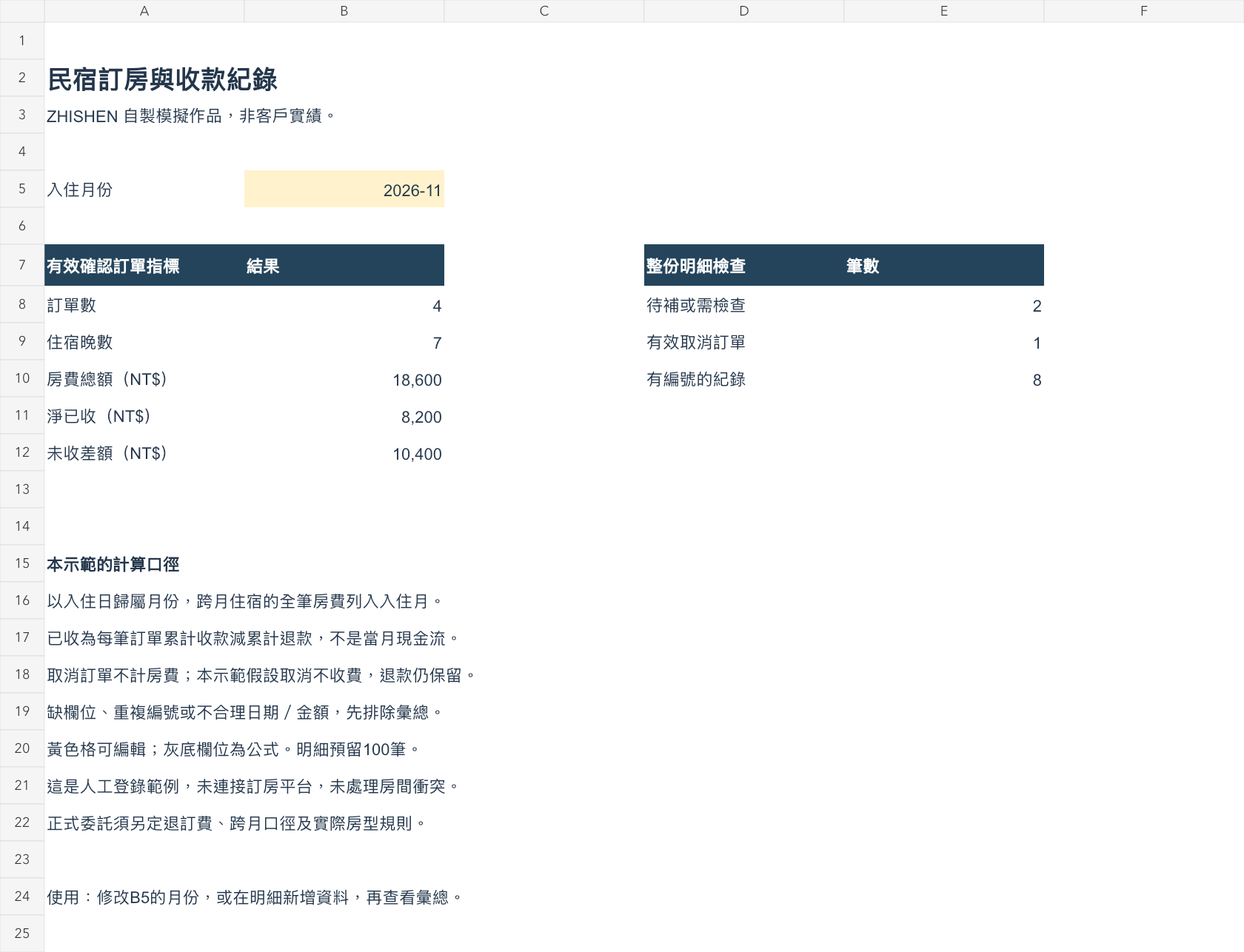
November 2026 at a glance
4 valid confirmed bookings, 7 nights, NT$18,600 in room charges, NT$8,200 net received and NT$10,400 outstanding. The complete log also flags 2 records for review.
How the numbers are defined
Bookings belong to their check-in month. All charges for a cross-month stay appear in that month. Net received means cumulative payments minus refunds for those bookings; it is not cash flow for the selected month.
Try the workbook
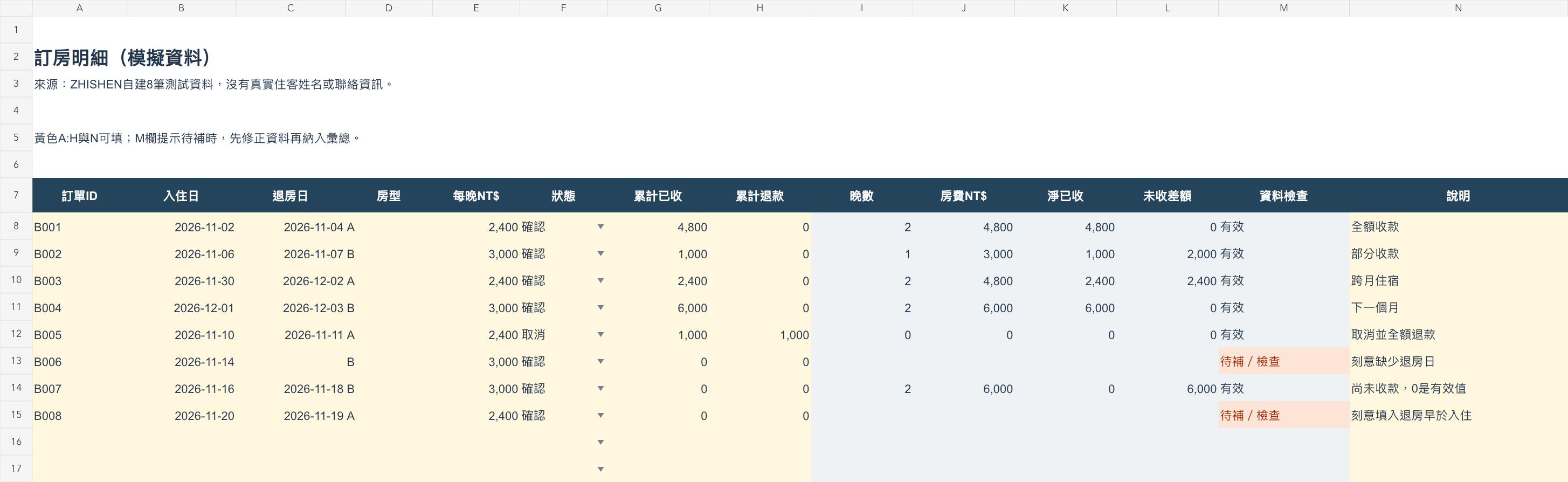
Enter the first day of a month in summary cell B5. Yellow cells accept inputs; gray columns contain formulas. The log includes formulas for 100 records. Missing fields, duplicate booking IDs and invalid dates are excluded until corrected.
Scope and checks
This manual-entry example assumes no cancellation charge. It does not connect to booking platforms or check room conflicts. Summary totals, payment changes, month changes, new rows and duplicate IDs were tested in the creation tool. Native Excel and Google Sheets compatibility has not been separately verified.
Workbook preview
Select either image for a larger view.
Tell us what you need to get done
Share a small anonymized sample, estimated rows and columns, your platform, and your target date. We will review the fit and propose a scope and quote.
Open the inquiry template
Copy and complete the template, or open it in your email app. Use “to discuss” for unknown details. Please omit passwords and personal data from initial samples.
Hello ZHISHEN,
Service needed:
Current data and problem:
Number of files / sheets:
Approximate rows / columns (or products / variants):
Tools, versions or platforms:
Expected deliverables and format:
Classification, calculation or merge rules:
Target completion date:
One-off or recurring (frequency):
Budget range (optional):
Anonymized sample available:
Open template in email
Opens your email app for review and sending. Nothing is sent automatically. You can also copy the template into LINE.
[email protected] · LINE @zhishen